First eclipse image
Three commands take a fresh solution to a synthetic eclipse render. They follow the pipeline's natural cost seam: the Q⊥ volume is expensive and viewpoint-independent, so it is built once; a render off that volume is cheap, so it is done for as many cameras as wanted.
This walkthrough uses the example data, data/coconut_corona.CFmesh.xz.
1. Inspect
qorona info data/coconut_corona.CFmesh.xz --timestamp 2025-10-09T18:19:52
info reads the solution and reports what Qorona sees: model, mesh, variables, boundaries.
Nothing is rendered; use it to confirm a file is understood before spending minutes on a build.
2. Build the Q⊥ volume
qorona build data/coconut_corona.CFmesh.xz -o data/coconut_corona.qor \
    --timestamp 2025-10-09T18:19:52 --frame carrington --outer-radius 8
The minutes-scale stage: trace the field, assemble Q⊥, and cache it to coconut_corona.qor.
--quality fast gives a minute-scale preview (timings on the GPU page); --quality
and --outer-radius are covered on the Q⊥ volume page. --timestamp and
--frame record what the file does not carry: the observation time and the heliographic frame of
the solution's longitudes, carrington here (stonyhurst for a run driven by a magnetogram
rotated to HEEQ). Both are optional and both are baked into the volume: the time drives the
on-image Carrington-rotation stamp, and together they let a render point the camera at a real
observer instead of typed angles (step 3).
3. Render
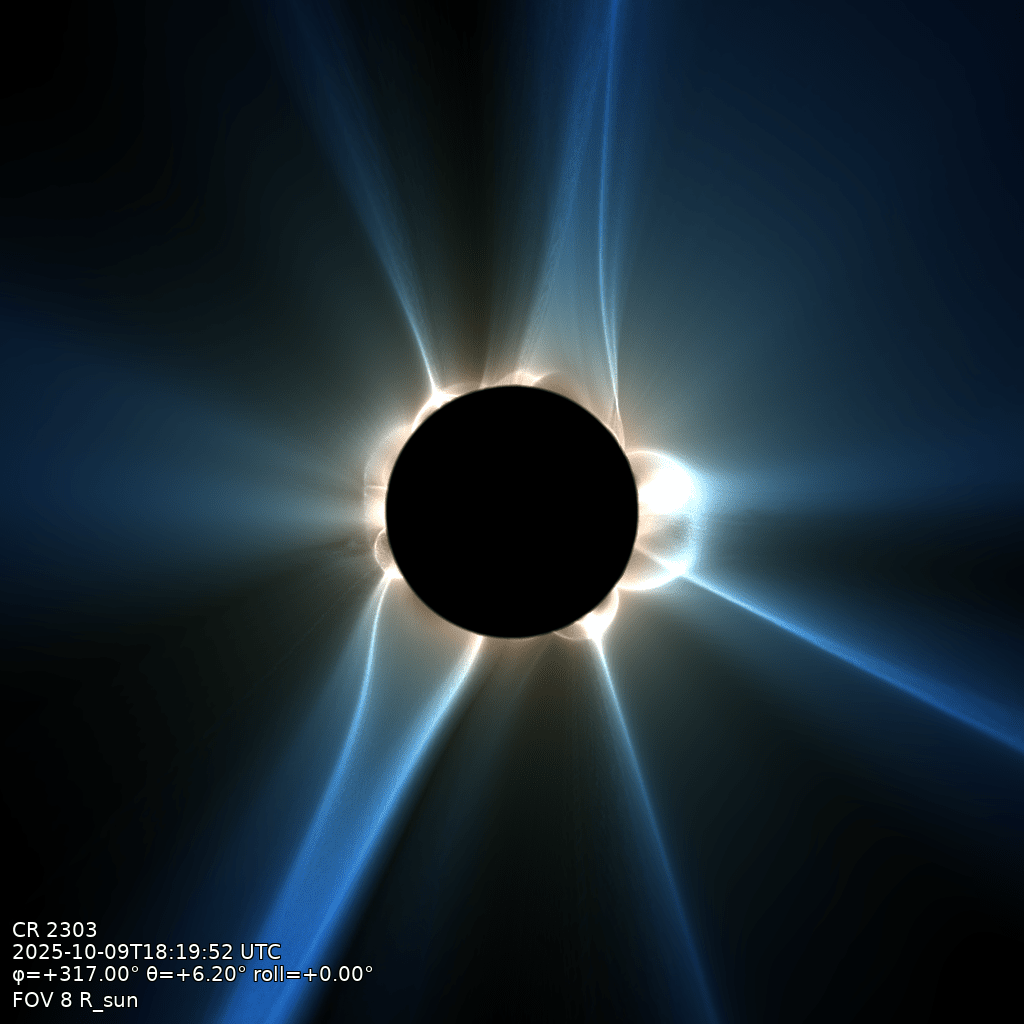
qorona render data/coconut_corona.qor -o data/eclipse.png --fov 8 --longitude 317 --latitude 6.2
Seconds per viewpoint, any number of viewpoints off the one volume. --fov is the field of
view (full width) in solar radii; --longitude and --latitude set the sub-observer
heliographic point, --roll the camera roll. With the time and frame baked into the volume, the camera can also take a real observer's
viewpoint on that date, no angles typed:
qorona render data/coconut_corona.qor -o data/earth.png --fov 8 --observer earth
Camera and viewpoint covers both ways of pointing the camera.
The figure below is exactly this render:
What you get
Every command ends with a summary of its parameters and metrics, and the PNG carries a corner stamp (Carrington rotation, timestamp, sub-observer angles, roll, FOV), so any image can be traced back to what produced it.
qorona run chains the whole pipeline in one shot; --save-volume keeps the intermediate so
later renders are instant:
qorona run data/coconut_corona.CFmesh.xz -o data/eclipse.png \
    --timestamp 2025-10-09T18:19:52 --frame carrington \
    --fov 8 --longitude 317 --save-volume data/coconut_corona.qor
Next
One page per product: squashing-factor render, polarity view, white-light imaging, Q-maps, field lines.